Quick Answer
Behind most websites sit code, a database, integrations, and admin tools, and a web development company in Delhi is the team that builds them. Expect ₹15,000 to ₹50,000 for a small business site and ₹50,000 to ₹3,00,000 for an online store. UTS Sites builds around your business needs rather than a ready-made template.
Key Takeaways
How much will it cost? Prices for web development services in Delhi vary widely, so here is the short version. Most small business websites land between ₹15,000 and ₹50,000, while a CMS-based site your team can edit runs ₹30,000 to ₹1,50,000. Online stores run ₹50,000 to ₹3,00,000, and a custom web application starts around ₹1,50,000. Running costs add hosting and a domain, plus maintenance that often runs 10 to 20% of the build cost each year, and 18% GST applies. Business sites take a few weeks to build, while custom applications take a few months.
Is Your Website Built on a Solid Base?
A site can look fine on the surface while the foundation underneath quietly ages.
Run your homepage through Google’s PageSpeed Insights and note the loading and responsiveness scores, especially on mobile. Then check the basics of upkeep. Is the site on HTTPS? Are the CMS, plugins, and themes up to date? Is there a recent backup you could restore? Outdated plugins are a common way small business sites get hacked.
Next, look at control. Can your team edit pages without calling a developer? Do you have admin access to the hosting, the domain, and the code? Test every form and checkout path on a real phone too, since a broken inquiry form costs you customers silently.
Struggling to answer these usually means the site is running on borrowed time.
Web Design vs Web Development
People often use the two terms interchangeably, but they cover different work. Design decides how a site looks and how visitors move through it: layout, colors, typography, and user flow. Development builds what makes it work: the code, the database, the admin panel, forms, payments, and connections to other tools.
Most projects need both, and the handover between them is where problems tend to appear. Ask who is responsible for what, and make sure the design can be built within your budget and timeline.
Types of Web Development Projects
Business websites built on a CMS suit most companies. They give you pages your team can edit, along with forms, a blog, and a structure Google can crawl. E-commerce websites, or online stores, add product catalogs, carts, and checkout, plus the payment methods Indian customers expect, such as UPI, cards, and sometimes cash on delivery, along with GST-ready invoices.
Custom web applications go further. Think customer portals, booking systems, dashboards, and internal tools with logins and rules that no template covers. Integration work connects your site to the other tools your business runs on, so data moves without manual copying. Migration projects move an old, slow, or insecure site onto a modern base without losing content or rankings.
In India, integration work usually means payment gateways such as Razorpay, PayU, or Cashfree, plus UPI. Stores often add shipping aggregators, SMS and email services, the WhatsApp Business API, and links to CRM or accounting tools. If you use a gateway’s hosted checkout, card details never touch your own server, so your security and compliance burden shrinks. Progressive web apps offer another option: your site can install on a phone and work offline, with no app store release needed.
WordPress, Shopify, or Custom Code: Which Fits?

No platform is best for everyone. The right one depends on what the site has to do and who will run it.
WordPress launches quickly and is easy to edit, and its plugin library is huge. The catch is upkeep: plugins and updates need regular attention, and piling on plugins slows a site down. Shopify takes hosting and checkout off your plate, and the trade is monthly fees plus less freedom to change the backend. Custom web development is the right call for unusual logic, portals, and sites built to scale. It costs more up front, and it ties you to developers who know the code.
Inside a custom build, the stack matters less than how well it’s used. Plenty of business applications begin on Laravel, a PHP framework with a large community that helps keep development costs in check. Reach for Node.js when you need real-time features or heavy API traffic, and for React or Next.js when the front end has to feel fast and interactive. Django, built on Python, suits data-heavy tools, and MySQL or PostgreSQL usually hold the data. Ask why a stack was chosen and whether other developers could maintain it later.
For most small businesses, a well-built CMS site is the sensible start. Move to custom code when the business logic outgrows what plugins can do.
Web Development and Google AI Overviews
How a site is built affects whether search engines and AI tools can read it.
Google can process JavaScript, but your most important content is safest in the HTML the server sends. If a page shows its main text only after heavy scripts finish, it may be read late or only in part. A clearly labeled page is easier for search engines to understand. That means proper headings, descriptive titles, and structured data such as FAQ and organization markup.
Speed and mobile behavior count too. They influence rankings, and they decide whether a visitor stays or leaves. An SEO-friendly build comes down to this: a site that’s easier to crawl, easier to understand, and easier for people to use.
Core Web Vitals: The Speed Targets That Matter
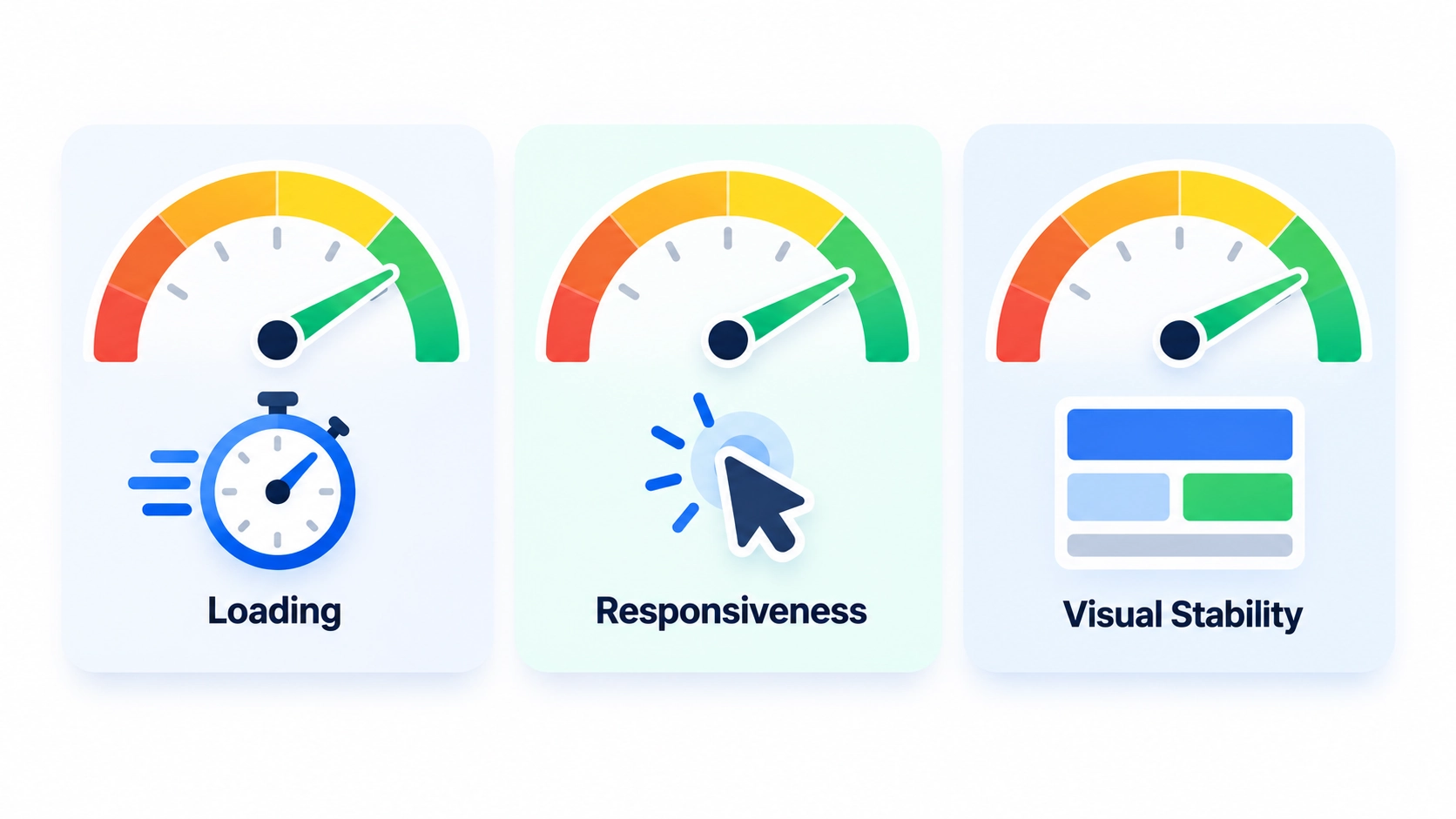
Google measures page experience through three metrics: Largest Contentful Paint for loading, Interaction to Next Paint for responsiveness, and Cumulative Layout Shift for visual stability. A good result means loading within 2.5 seconds, responding in 200 milliseconds or less, and a layout shift score of 0.1 or less, measured at the 75th percentile of real visits.
Passing requires all three, and mobile and desktop are checked separately. Google says good scores line up with what its ranking systems reward, but they don’t guarantee top rankings. The usual culprits behind poor results are oversized images, scripts that block rendering, third-party widgets, and elements that jump around as the page loads.
What a Secure Website Build Includes
Security is built in from the start, and it’s much harder to add later.
Start with HTTPS on every page and solid login protection, including two-factor authentication and limits on repeated login attempts. Anything a visitor types into a form should be checked before the site accepts it. That makes malicious code harder to sneak in, and it covers common risks like those on OWASP’s Top 10 list. A firewall or CDN at the hosting level can filter bad traffic before it reaches the site.
Upkeep counts as much as the build. Keep the CMS, plugins, and libraries updated, and store automated backups away from the server, then test that you can restore them. Malware scans and activity monitoring spot trouble early, which keeps a small issue from becoming a long outage.
Built With India’s Data Rules in Mind
Does your website collect personal data? If it has a contact form, a checkout, or a login, it does. May 2027 is the date to remember: that’s when most obligations under India’s Digital Personal Data Protection Rules begin to apply. The Rules themselves were notified in November 2025. Those duties cover notice, consent, security safeguards, and breach reporting for any business that handles personal data.
For a website, that points to a few build habits. Collect only the data you need. Show a clear notice at the point of collection. Store data securely with limited access, and plan how to find and delete a person’s data when asked. This isn’t legal advice, so check the specifics for your business with a lawyer.
What Does Web Development Cost in Delhi?
Website development cost depends on what the site has to do, far more than on how many pages it has.
A small business website usually runs ₹15,000 to ₹50,000. A CMS-based site that your team can edit costs ₹30,000 to ₹1,50,000. An online store runs ₹50,000 to ₹3,00,000 and can pass ₹5,00,000 for large catalogs or custom features. A custom web application starts around ₹1,50,000 and can reach ₹10,00,000 or more. Prices in Delhi NCR vary a lot, since freelancers and large agencies sit at opposite ends. Quotes before tax need 18% GST added.
Plan for running costs too. Shared hosting runs about ₹3,000 to ₹8,000 a year, while VPS or cloud hosting costs ₹12,000 to ₹60,000. A domain costs ₹500 to ₹2,000 a year. Maintenance commonly adds 10 to 20% of the build cost annually, and payment gateways typically take around 2% of each sale, plus GST on that fee.
Projects are usually quoted at a fixed price or on hourly rates. A clear scope fits a fixed price. A product that keeps changing is better billed hourly or monthly. Either way, get the scope and milestones in writing. A price far below these ranges often means template work, no testing, or no support after launch. Get a free consultation for a quote based on your actual features, not a generic package.
5 Mistakes That Make Websites Expensive Later
Check these before you sign, with us or anyone else.
Choosing the cheapest quote is the classic one. It often means paying twice, once for the cheap build and again for the rebuild. Not owning your code, hosting, and domain is another. If the developer holds everything, you’re stuck when the relationship ends. Launching without proper testing makes your customers the testers, and they’ll find the broken forms and slow pages first.
Having no maintenance plan lets updates pile up until the site breaks or gets hacked. And overbuilding version one adds features nobody asked for, which raises cost and delays launch. A lean first release you can improve beats a giant one that never ships.
Our Web Development Process
Every project starts with goals, not features, because a site built without a clear purpose rarely earns its cost.
We map who will use the site, what they need to do, and what the build must connect with. A plan covering structure, features, and timeline follows, and the build happens on a private staging site so you can review progress before anything goes live.
Before launch, the site gets tested on real phones and browsers, and every form, payment flow, and common security risk gets checked. Performance gets measured against Google’s Core Web Vitals targets before launch. At handover you receive admin access, backups, and documentation, and a maintenance plan keeps updates and security patches on schedule.
Browse our portfolio for examples.
What Ongoing Support Should Cover
A website isn’t finished at launch. Without support, it slowly gets slower, less secure, and out of date.
A solid support plan covers CMS, plugin, and security updates, regular backups, uptime and speed monitoring, and bug fixes. It also sets a clear way to request small changes, along with expected response times. Ask whether those changes are included, billed hourly, or covered by a monthly plan.
Bigger applications usually need more, such as performance tuning and new features added on a roadmap. Whatever the size, put what’s covered in writing so a breakdown never turns into a billing argument.
Why Delhi-Specific Market Knowledge Matters
UTS Sites is based in Mohali and works with businesses across Delhi NCR, including Gurugram and Noida, through calls, shared staging links, and regular reports. Where a team sits matters less than how well it understands the market it’s building for.
Many Delhi NCR customers browse on phones, so mobile performance can decide whether a visit turns into an inquiry. Indian stores need checkout flows that handle UPI, cards, and often cash on delivery, with GST-ready invoicing. And local businesses benefit from pages built for area searches, since people often look for services by neighborhood.
What to Ask a Web Development Company in Delhi Before You Hire
Whichever website development company you shortlist, the right questions show whether a team builds for the long term or just for launch day.
Ask who owns the source code, hosting, and domain, and get the answer in writing. Ask whether you’ll see a staging version before launch, and how testing works. Ask what support covers after launch and how long bugs get fixed. Ask which technology they’d choose for your project and why. And ask how updates and security patches are handled over time.
Ask, too, whether the code sits in a version-controlled repository you can access, and whether it’s documented well enough for another developer to take over later. That one answer shows whether you’re buying a site or renting one.
Walk away from anyone who won’t give you admin access, has no written scope, or builds on pirated “nulled” themes and plugins, which often carry hidden malware. Be wary of vague answers about maintenance, since that’s where unplanned costs usually appear.
Related Services
A strong build needs a strong front end, so see our web design services. To get the new site found, our SEO services help it rank. Once the site is live, our digital marketing services can bring in the traffic and leads.
Frequently Asked Questions (FAQs)
How much does website development cost in Delhi?
Budget ₹15,000 to ₹50,000 for a small business site, or ₹30,000 to ₹1,50,000 for a CMS-based one. Online stores cost ₹50,000 to ₹3,00,000, and custom web applications usually start around ₹1,50,000. If a quote is before tax, add 18% GST.
Can I get a good website on a small budget?
Yes, if you’re realistic about scope. A template-based CMS site is the most affordable route, and a very basic one-to-three page site can cost less than the ranges above. Spend where it counts: speed, security, and a clear call to action. Very low quotes often skip testing and support.
How long does it take to build a website?
A business site usually takes a few weeks, while an online store can take 4 to 10 weeks. Custom web applications often take a few months. Content that’s ready on time is the biggest factor you control.
Should I choose WordPress, Shopify, or custom code?
It depends on what the site must do. A business site that needs easy editing usually fits WordPress, a store that wants managed hosting fits Shopify, and anything with unusual logic or customer portals points to custom code. Pick by need, not by trend.
Do I own the website and its code?
You should. Once the project is paid for, the source code, design files, and content should be yours. Ask any developer to confirm that in writing before work begins, and keep hosting and domain accounts in your name too.
Do I need ongoing maintenance?
Yes. Updates, backups, and security patches keep a site safe and fast, and maintenance commonly costs 10 to 20% of the build cost each year. Skipping it is a common way small sites end up hacked or broken.
Will my website comply with India’s data protection rules?
A good build lays the groundwork: clear consent notices, minimal data collection, and secure storage. Compliance also depends on how your business handles data day to day, so check the specifics with a lawyer. Most obligations apply from May 2027.
Who should buy the hosting and domain?
You should. Register them in your own name and let the developer set them up with delegated access. That way you control renewals and can switch developers without losing the site.
Which payment gateways work for Indian online stores?
Razorpay, PayU, and Cashfree come up most often for Indian stores. All three usually cover UPI, cards, and net banking, so the real differences are fees, settlement speed, and support. Ask each for a written fee breakdown before you choose.
Ready for a Website Built to Last?
Get a free consultation for your Delhi NCR business. We’ll look at your goals, your current site, and what a solid build would involve. Talk to Our Development Team →